
3D pouch cell geometry and plotting
This example shows how to:
modify the pouch-cell geometry before running a simulation
inspect the generated 3D grids and tab locations
plot different output fields on the component meshes
launch the interactive 3D output viewer
using BattMo, GLMakie, JutulLoad default parameter sets
cell_parameters = load_cell_parameters(; from_default_set = "xu_2015")
cycling_protocol = load_cycling_protocol(; from_default_set = "cc_discharge")
model_settings = load_model_settings(; from_default_set = "p4d_pouch")
simulation_settings = load_simulation_settings(; from_default_set = "p4d_pouch")
Modify the pouch geometry
The pouch geometry is controlled by a combination of cell parameters and simulation settings. Some useful quantities to experiment with are:
TabsOnSameSideTabPositionFractionTabWidthandTabLengthcurrent collector thickness
in-plane grid resolution
cycling_protocol["DRate"] = 11Move the tabs so that the current collectors connect at different x-positions.
cell_parameters["NegativeElectrode"]["CurrentCollector"]["TabPositionFraction"] = 0.2
cell_parameters["PositiveElectrode"]["CurrentCollector"]["TabPositionFraction"] = 0.80.8Toggle whether the tabs are on the same side of the pouch or opposite sides.
cell_parameters["Cell"]["TabsOnSameSide"] = truetrueIncrease the tab dimensions to make them easier to see in the geometry plots.
cell_parameters["Cell"]["TabWidth"] = 20.0e-3
cell_parameters["Cell"]["TabLength"] = 12.0e-30.012Thicker current collectors are also easier to visualize.
cell_parameters["NegativeElectrode"]["CurrentCollector"]["Thickness"] = 18.0e-6
cell_parameters["PositiveElectrode"]["CurrentCollector"]["Thickness"] = 20.0e-62.0e-5A slightly coarser in-plane grid keeps the example fairly quick to set up.
simulation_settings["ElectrodeWidthGridPoints"] = 12
simulation_settings["ElectrodeLengthGridPoints"] = 8
Create the simulation object
model = LithiumIonBattery(; model_settings)
sim = Simulation(model, cell_parameters, cycling_protocol; simulation_settings)

grids = sim.grids
couplings = sim.couplings

components = ["NegativeElectrodeActiveMaterial", "PositiveElectrodeActiveMaterial", "NegativeElectrodeCurrentCollector", "PositiveElectrodeCurrentCollector"]
colors = [:gray, :green, :dodgerblue, :black]
✔️ Validation of ModelSettings passed: No issues found.
──────────────────────────────────────────────────
✔️ Validation of CellParameters passed: No issues found.
──────────────────────────────────────────────────
✔️ Validation of CyclingProtocol passed: No issues found.
──────────────────────────────────────────────────
✔️ Validation of SimulationSettings passed: No issues found.
──────────────────────────────────────────────────Plot the component meshes
for (i, component) in enumerate(components)
    if i == 1
        global fig_mesh, ax_mesh = plot_mesh(
            grids[component];
            color = colors[i],
            label = component,
        )
    else
        plot_mesh!(
            ax_mesh, grids[component];
            color = colors[i],
            label = component,
        )
    end
end

Legend(fig_mesh[1, 2], [PolyElement(color = c) for c in colors], components)
ax_mesh.aspect = :data
ax_mesh.azimuth[] = 5.2
ax_mesh.elevation[] = 0.45

fig_mesh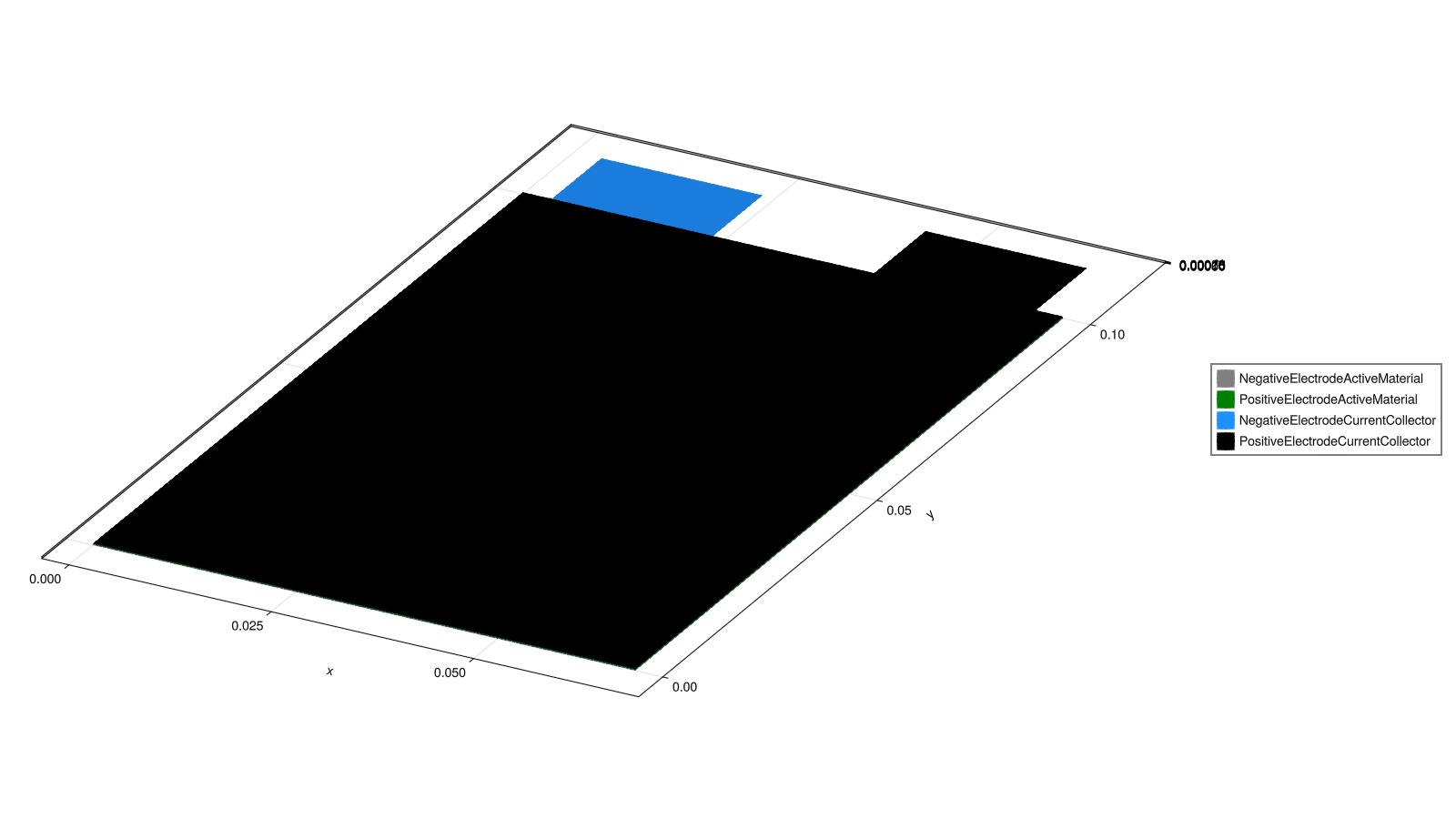
Plot mesh edges and highlight the tabs
The external couplings on the current collectors correspond to the tab faces. We plot those in red on top of the mesh edges.
for (i, component) in enumerate(components)
    if i == 1
        global fig_edges, ax_edges = plot_mesh_edges(
            grids[component];
            color = colors[i],
            label = component,
        )
    else
        plot_mesh_edges!(
            ax_edges, grids[component];
            color = colors[i],
            label = component,
        )
    end
end

for component in ["NegativeElectrodeCurrentCollector", "PositiveElectrodeCurrentCollector"]
    plot_mesh!(
        ax_edges, grids[component];
        boundaryfaces = couplings[component]["External"]["boundaryfaces"],
        color = :red,
    )
end

Legend(fig_edges[1, 2], [PolyElement(color = c) for c in colors], components)
ax_edges.aspect = :data
ax_edges.azimuth[] = 5.2
ax_edges.elevation[] = 0.45
fig_edges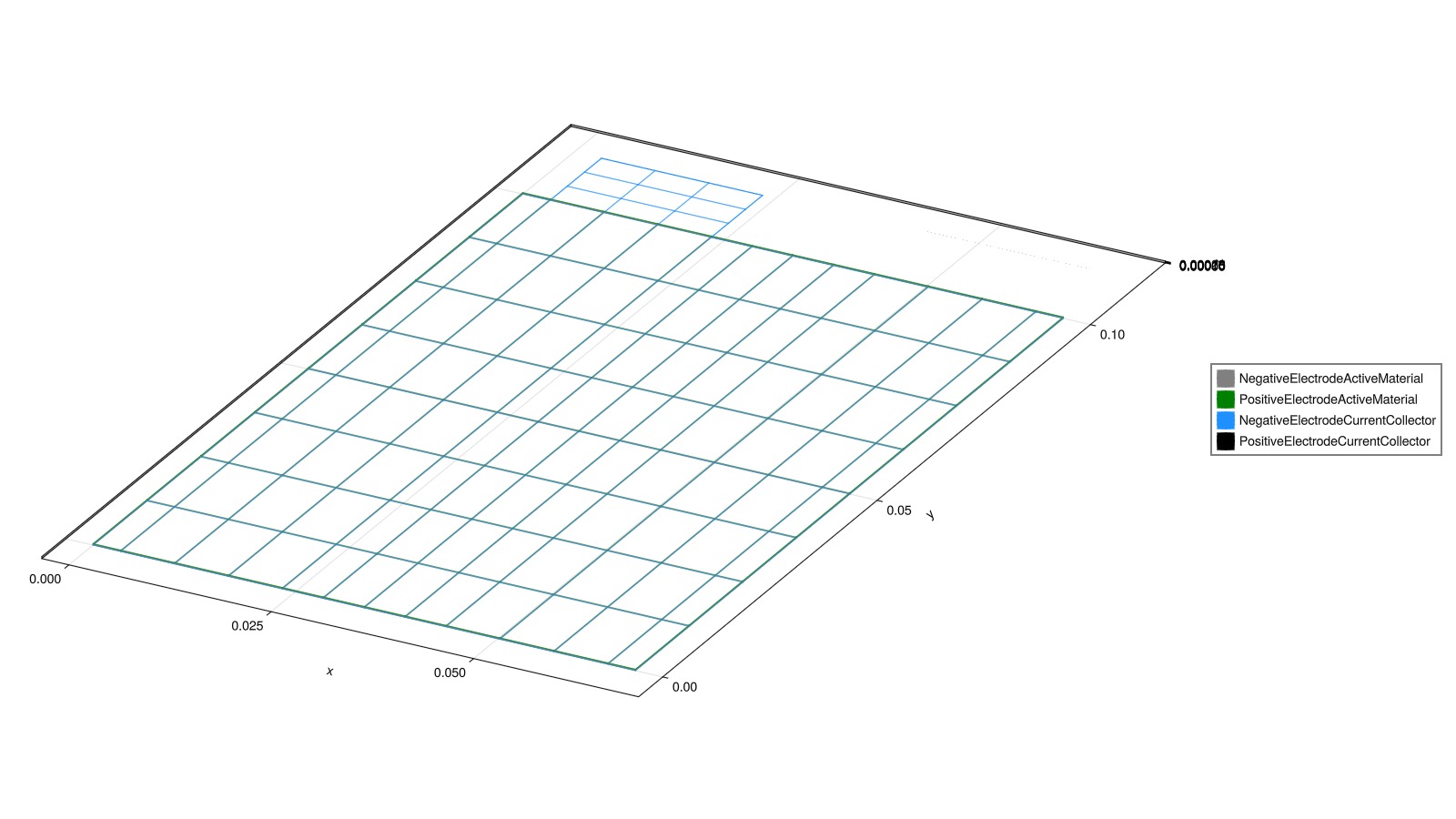
Run the simulation
output = solve(sim)✔️ Validation of SolverSettings passed: No issues found.
──────────────────────────────────────────────────
Jutul: Simulating 1 hour, 6 minutes as 84 report steps
╭────────────────┬──────────┬──────────────┬──────────╮
│ Iteration type │ Avg/step │ Avg/ministep │ Total │
│ │ 67 steps │ 67 ministeps │ (wasted) │
├────────────────┼──────────┼──────────────┼──────────┤
│ Newton │ 2.56716 │ 2.56716 │ 172 (0) │
│ Linearization │ 3.56716 │ 3.56716 │ 239 (0) │
│ Linear solver │ 2.56716 │ 2.56716 │ 172 (0) │
│ Precond apply │ 0.0 │ 0.0 │ 0 (0) │
╰────────────────┴──────────┴──────────────┴──────────╯
╭───────────────┬──────────┬────────────┬─────────╮
│ Timing type │ Each │ Relative │ Total │
│ │ ms │ Percentage │ s │
├───────────────┼──────────┼────────────┼─────────┤
│ Properties │ 3.7563 │ 1.91 % │ 0.6461 │
│ Equations │ 106.1749 │ 75.01 % │ 25.3758 │
│ Assembly │ 1.6985 │ 1.20 % │ 0.4059 │
│ Linear solve │ 36.2717 │ 18.44 % │ 6.2387 │
│ Linear setup │ 0.0000 │ 0.00 % │ 0.0000 │
│ Precond apply │ 0.0000 │ 0.00 % │ 0.0000 │
│ Update │ 2.3641 │ 1.20 % │ 0.4066 │
│ Convergence │ 2.1089 │ 1.49 % │ 0.5040 │
│ Input/Output │ 0.5857 │ 0.12 % │ 0.0392 │
│ Other │ 1.2516 │ 0.64 % │ 0.2153 │
├───────────────┼──────────┼────────────┼─────────┤
│ Total │ 196.6960 │ 100.00 % │ 33.8317 │
╰───────────────┴──────────┴────────────┴─────────╯Plot different fields on the 3D meshes
The BattMo output now stores component-wise positions, so the state fields can be plotted directly against the corresponding component geometry.
Potential in the negative current collector
fig_phi, ax_phi = plot_cell_data(
    output.states["NegativeElectrode"]["CurrentCollector"]["Position"],
    output.states["NegativeElectrode"]["CurrentCollector"]["Potential"][end, :];
    colormap = :viridis,
)
ax_phi.aspect = :data
ax_phi.title = "Negative current collector potential"

fig_phi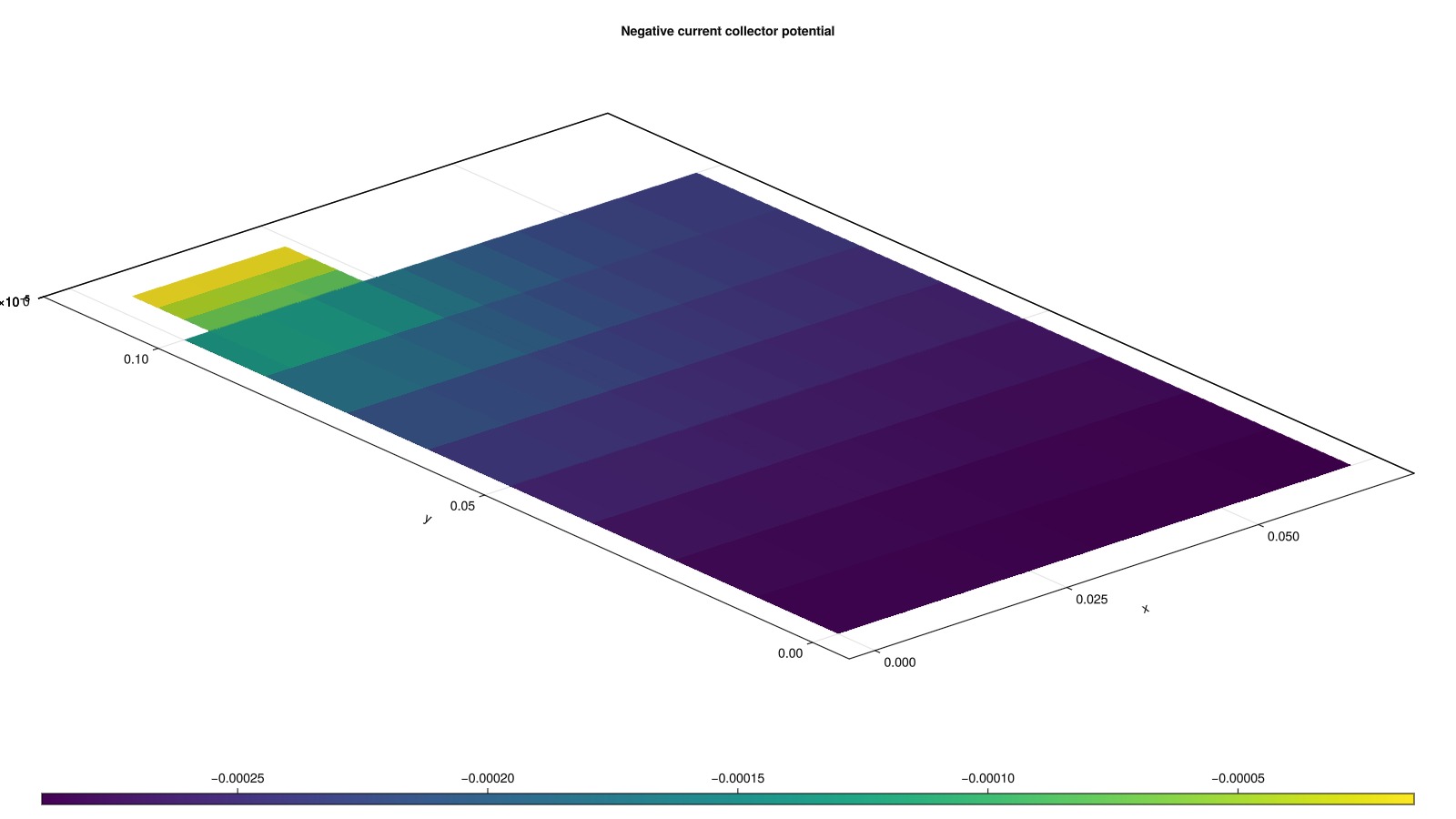
Surface concentration in the positive electrode active material
fig_cs, ax_cs = plot_cell_data(
    output.states["PositiveElectrode"]["ActiveMaterial"]["Position"],
    output.states["PositiveElectrode"]["ActiveMaterial"]["SurfaceConcentration"][end, :];
    colormap = :plasma,
)
ax_cs.aspect = :data
ax_cs.title = "Positive electrode surface concentration"

fig_cs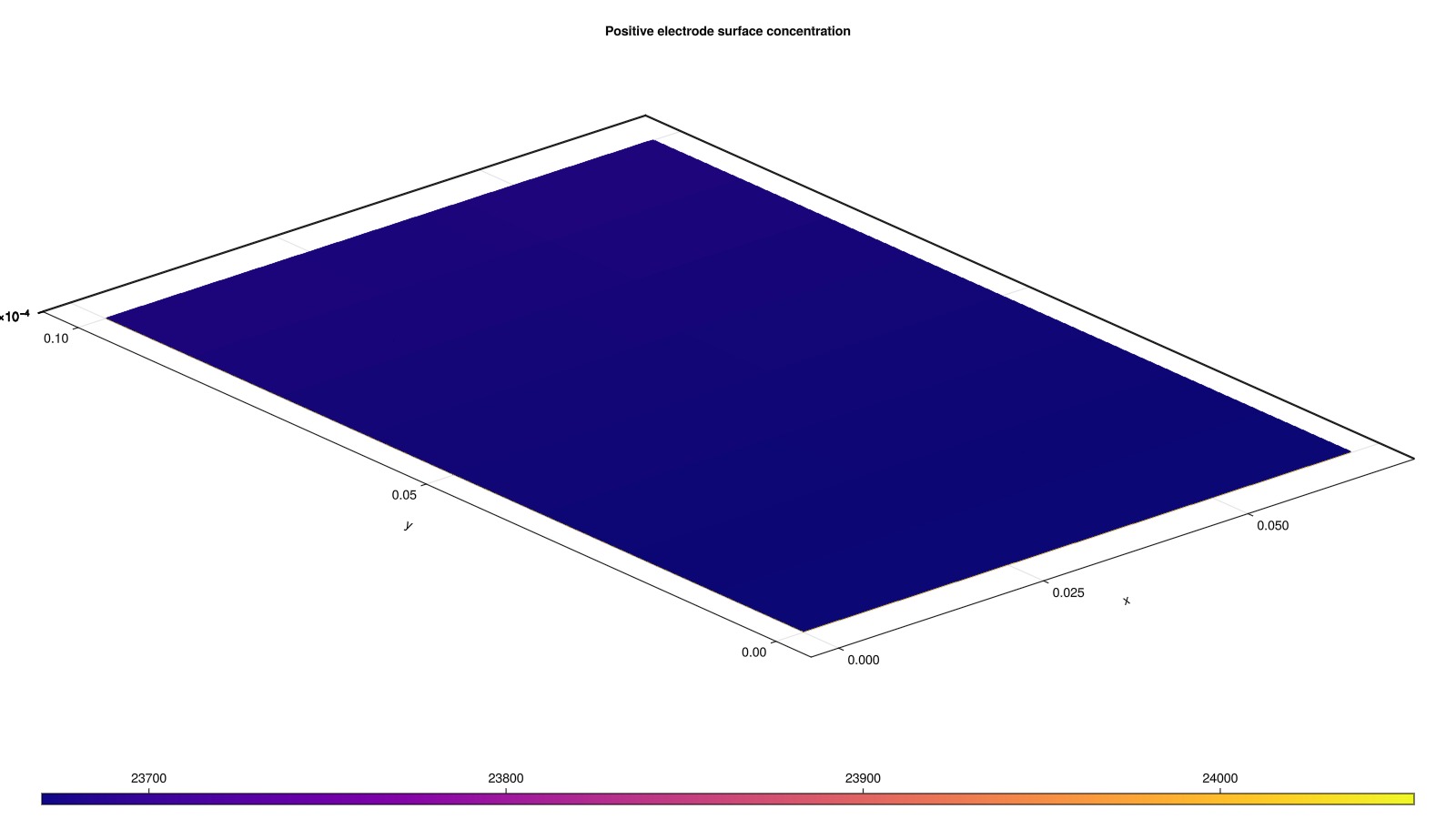
Mesh edges can be overlaid on top of a cell-data plot.
plot_mesh_edges!(
    ax_cs, output.states["PositiveElectrode"]["ActiveMaterial"]["Position"];
    color = :black,
    linewidth = 0.5,
)

fig_cs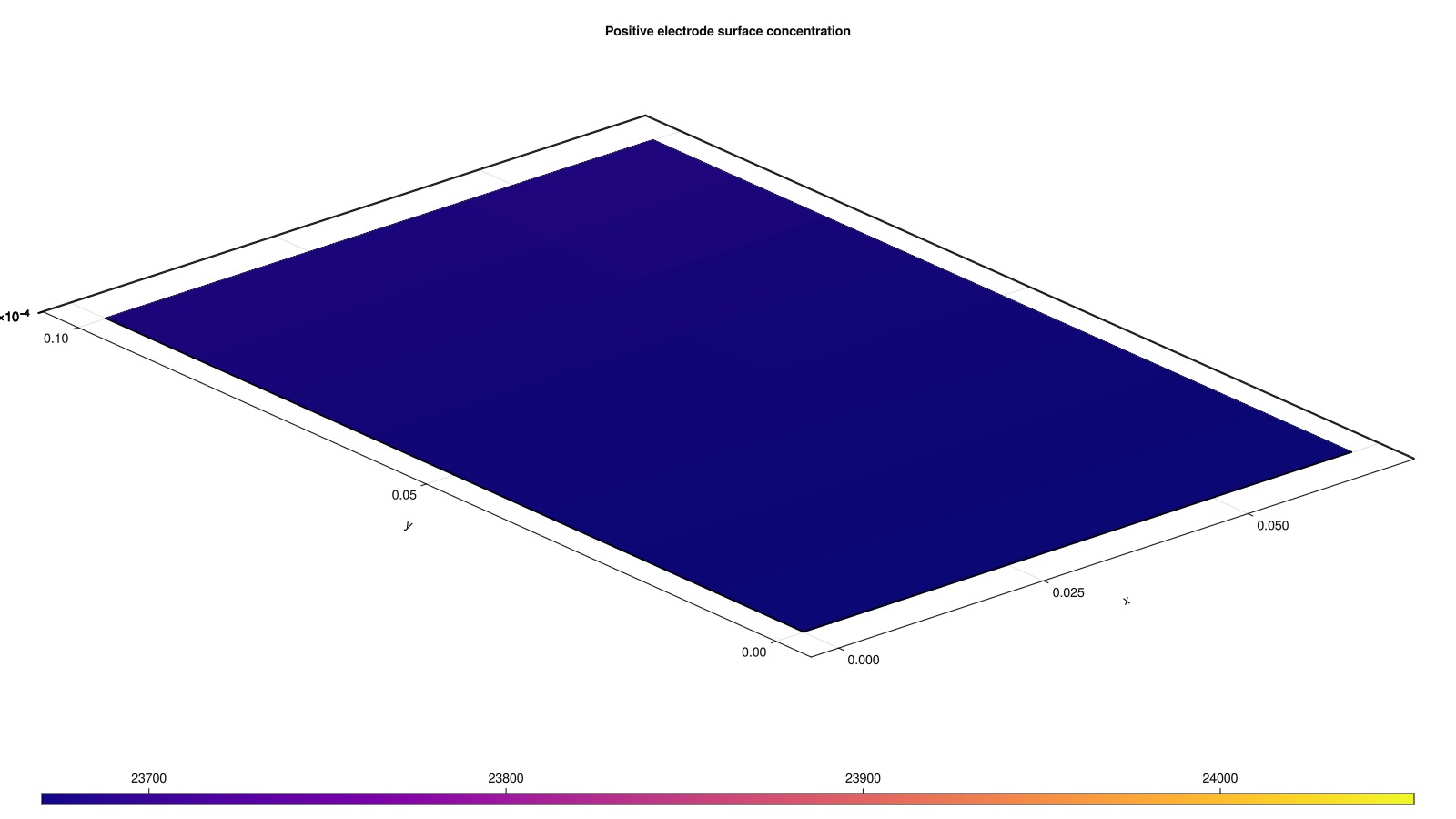
Double coated electrodes and Multi-layer pouch geometry
We can also create a multi-layer pouch geometry by modifying the Cell parameters. The number of layers is controlled by NumberOfLayersInParallel, and for a single layer simulation we can also choose to have double coated electrodes by setting DoubleCoatedElectrodes to true.
Let's plot the mesh for a double-coated single-layer pouch cell.
cell_parameters["Cell"]["DoubleCoatedElectrodes"] = true

sim = Simulation(model, cell_parameters, cycling_protocol; simulation_settings)
grids = sim.grids
couplings = sim.couplings

for (i, component) in enumerate(components)
    if i == 1
        global fig_edges_d, ax_edges_d = plot_mesh(
            grids[component];
            color = colors[i],
            label = component,
        )
    else
        plot_mesh!(
            ax_edges_d, grids[component];
            color = colors[i],
            label = component,
        )
    end
end

for component in ["NegativeElectrodeCurrentCollector", "PositiveElectrodeCurrentCollector"]
    plot_mesh!(
        ax_edges_d, grids[component];
        boundaryfaces = couplings[component]["External"]["boundaryfaces"],
        color = :red,
    )
end

Legend(fig_edges_d[1, 2], [PolyElement(color = c) for c in colors], components)
ax_edges_d.azimuth[] = 5.2
ax_edges_d.elevation[] = 0.45

fig_edges_d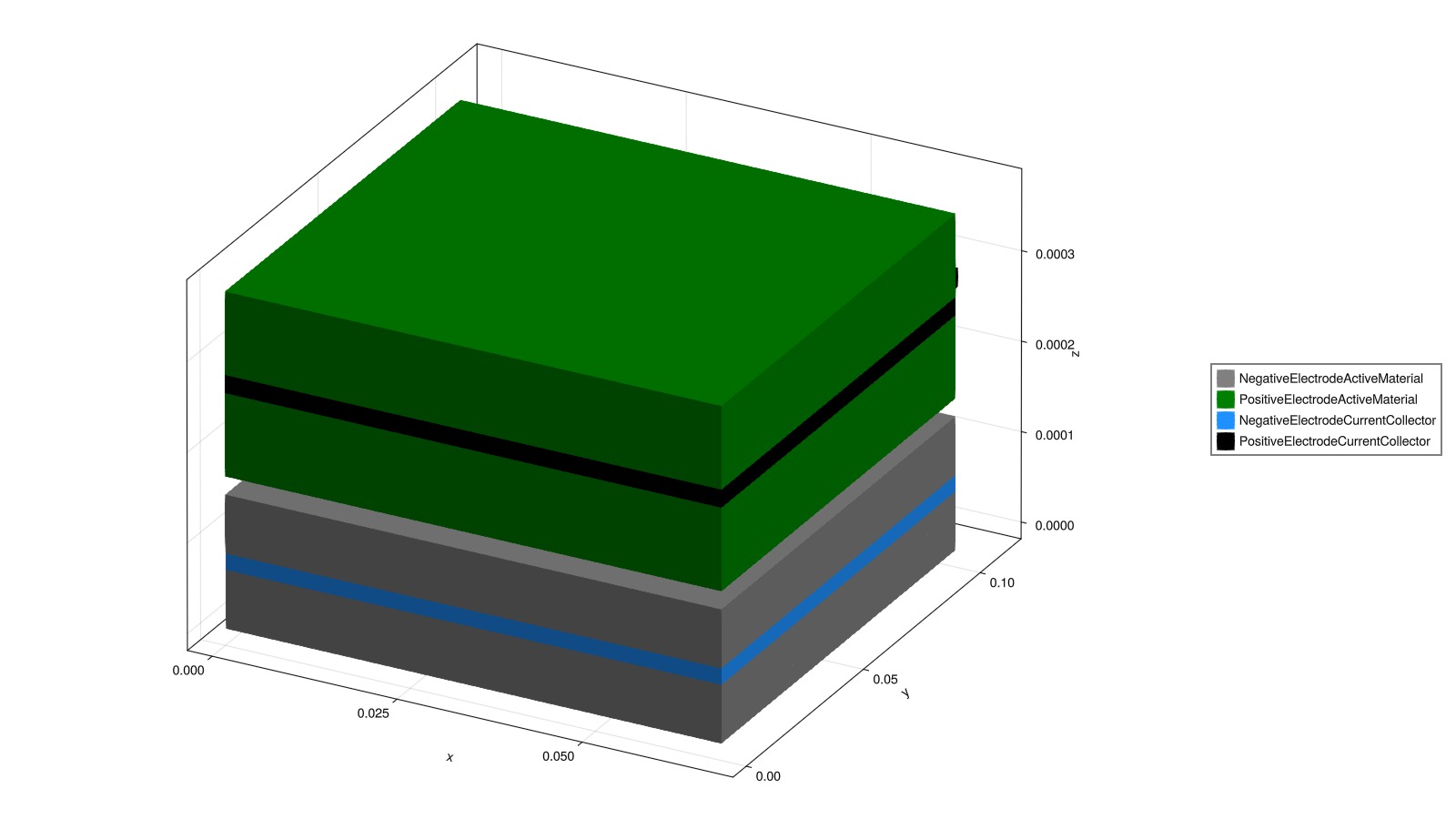
Let's plot the mesh for a multi-layer pouch cell.
cell_parameters["Cell"]["NumberOfLayersInParallel"] = 2

sim = Simulation(model, cell_parameters, cycling_protocol; simulation_settings)
grids = sim.grids
couplings = sim.couplings

for (i, component) in enumerate(components)
    if i == 1
        global fig_edges_m, ax_edges_m = plot_mesh(
            grids[component];
            color = colors[i],
            label = component,
        )
    else
        plot_mesh!(
            ax_edges_m, grids[component];
            color = colors[i],
            label = component,
        )
    end
end

for component in ["NegativeElectrodeCurrentCollector", "PositiveElectrodeCurrentCollector"]
    plot_mesh!(
        ax_edges_m, grids[component];
        boundaryfaces = couplings[component]["External"]["boundaryfaces"],
        color = :red,
    )
end

Legend(fig_edges_m[1, 2], [PolyElement(color = c) for c in colors], components)
ax_edges_m.azimuth[] = 5.2
ax_edges_m.elevation[] = 0.45

fig_edges_m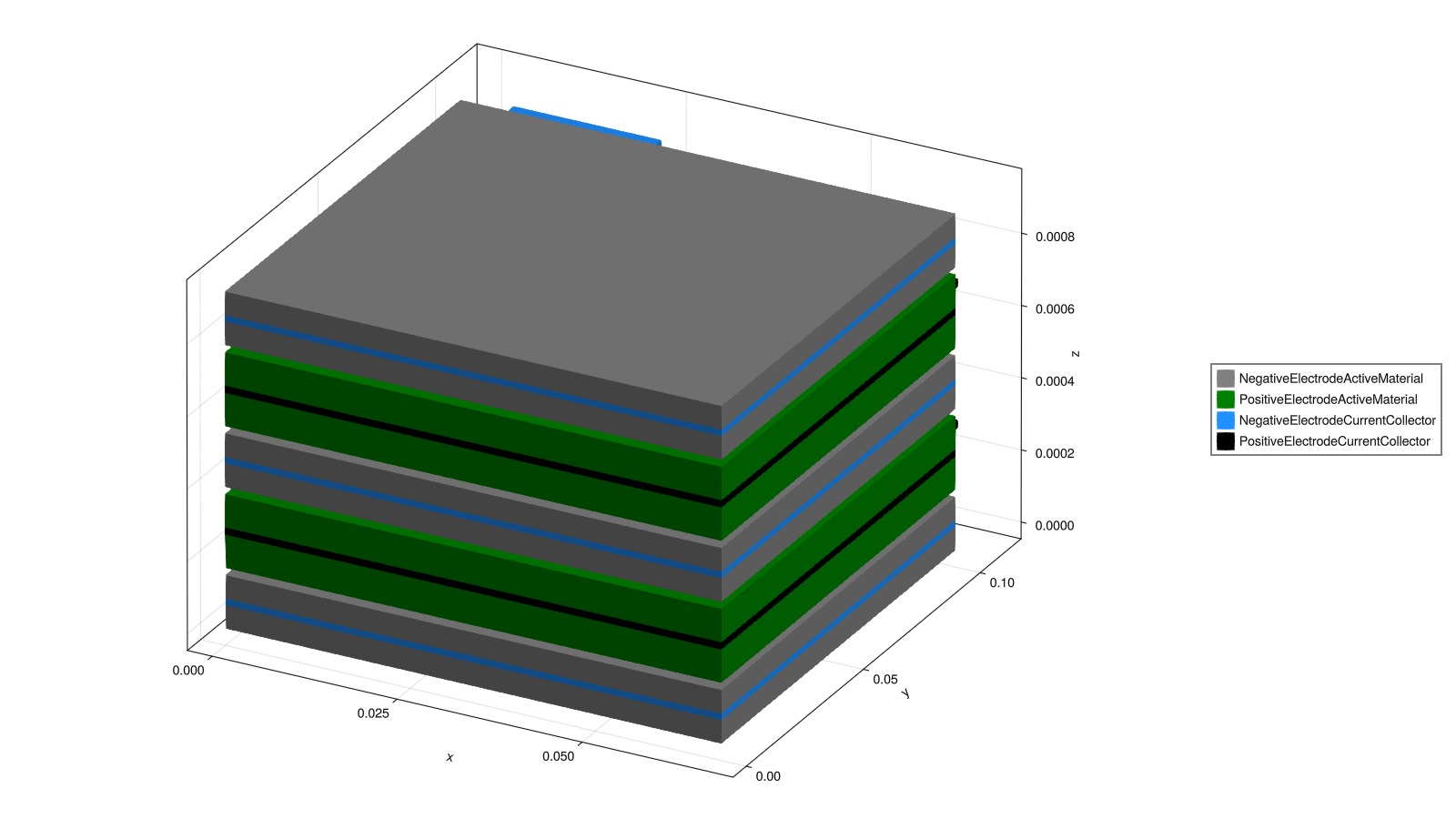
Interactive 3D viewer
We can view the output in an interactive 3D viewer, which allows us to explore the different fields and components in more detail. The viewer can be launched with the plot_interactive_3d function, which takes the simulation output as input.
output = solve(sim)
plot_interactive_3d(output; colormap = :curl)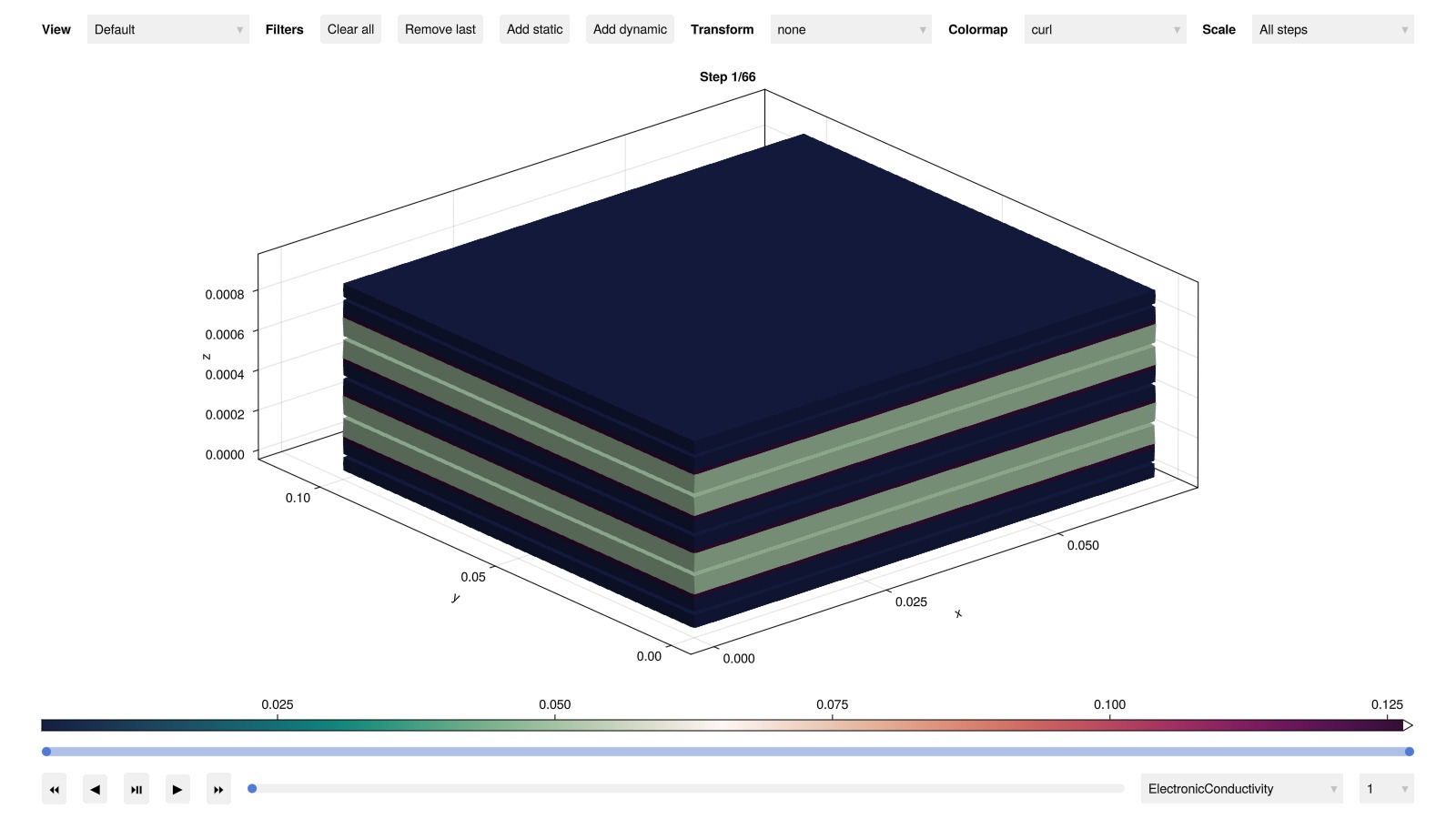
Example on GitHub
If you would like to run this example yourself, it can be downloaded from the BattMo.jl GitHub repository as a script.
This page was generated using Literate.jl.