
Example of jelly roll
This example demonstrates how to set up, run and visualize a 3D cylindrical battery model
Load the packages
using BattMo, Jutul, GLMakieLoad the cell parameters
cell_parameters = load_cell_parameters(; from_default_set = "chen_2020")
cycling_protocol = load_cycling_protocol(; from_default_set = "cc_discharge")
model_settings = load_model_settings(; from_default_set = "p4d_cylindrical")
simulation_settings = load_simulation_settings(; from_default_set = "p4d_cylindrical")
Set up the model
model = LithiumIonBattery(; model_settings)✔️ Validation of ModelSettings passed: No issues found.
──────────────────────────────────────────────────Review and modify the cell parameters
We go through some of the geometrical and discretization parameters. We modify some of them to obtain a cell where the different components are easier to visualize
The cell geometry is determined by the inner and outer radius and the height. We reduce the outer radius
cell_parameters["Cell"]["OuterRadius"] = 0.01We modify the current collector thicknesses, for visualization purpose
cell_parameters["NegativeElectrode"]["CurrentCollector"]["Thickness"] = 50.0e-6
cell_parameters["PositiveElectrode"]["CurrentCollector"]["Thickness"] = 50.0e-6
The tabs are part of the current collectors that connect the electrodes to the external circuit. The location of the tabs is given as a fraction length, where the length is measured along the current collector in the horizontal direction, meaning that we follow the rolling spiral. Indeed, this is the relevant length to use if we want to dispatch the current collector in a equilibrated way, where each of them will a priori collect the same amount of current. In the following, we include three tabs with one in the middle and the other at a distance such that each tab will collect one third of the current
cell_parameters["NegativeElectrode"]["CurrentCollector"]["TabFractions"] = [0.5 / 3, 0.5, 0.5 + 0.5 / 3]
cell_parameters["PositiveElectrode"]["CurrentCollector"]["TabFractions"] = [0.5 / 3, 0.5, 0.5 + 0.5 / 3]
We set the tab width to 2 mm
cell_parameters["NegativeElectrode"]["CurrentCollector"]["TabWidth"] = 0.002
cell_parameters["PositiveElectrode"]["CurrentCollector"]["TabWidth"] = 0.002
The angular discretization of the cell is determined by the number of angular grid points.
simulation_settings["AngularGridPoints"] = 30Create the simulation object
sim = Simulation(model, cell_parameters, cycling_protocol; simulation_settings);✔️ Validation of CellParameters passed: No issues found.
──────────────────────────────────────────────────
✔️ Validation of CyclingProtocol passed: No issues found.
──────────────────────────────────────────────────
✔️ Validation of SimulationSettings passed: No issues found.
──────────────────────────────────────────────────We retrieve the grids and coupling structure from the simulation object, which we want to visualize prior running the simulation
grids = sim.grids
couplings = sim.couplingsVisualize the grids and couplings
Define a list of the component to iterate over in the ploting routin below
components = ["NegativeElectrodeActiveMaterial", "PositiveElectrodeActiveMaterial", "NegativeElectrodeCurrentCollector", "PositiveElectrodeCurrentCollector"]
colors = [:gray, :green, :blue, :black]We plot the components
for (i, component) in enumerate(components)
if i == 1
global fig, ax = plot_mesh(
grids[component],
color = colors[i],
)
else
plot_mesh!(
ax,
grids[component],
color = colors[i],
)
end
end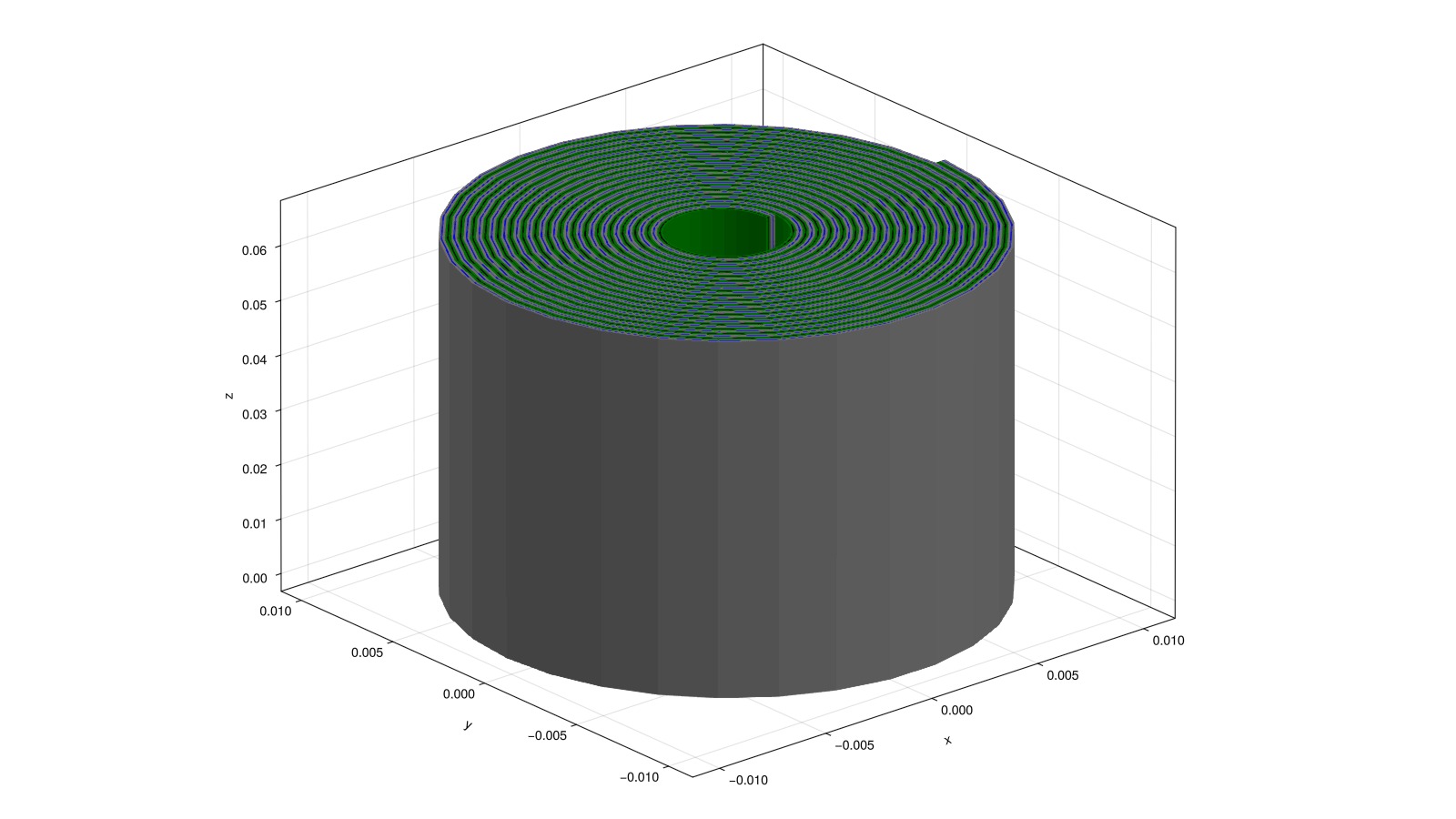
Plot the current collectors tabs
We plot the tabs, which couple the current collectors with the external circuits. The tabs will typically protude from the cell in the vertical directions but we can neglect this 3d feature in the simulation model. The tabs are then represented by horizontal faces at the top or bottom of the current collectors. In the figure below, they are plotted in red.
components = [
"NegativeElectrodeCurrentCollector",
"PositiveElectrodeCurrentCollector",
]
for component in components
plot_mesh!(
ax, grids[component];
boundaryfaces = couplings[component]["External"]["boundaryfaces"],
color = :red,
)
endfig #hide
ax.azimuth[] = 4.0
ax.elevation[] = 1.56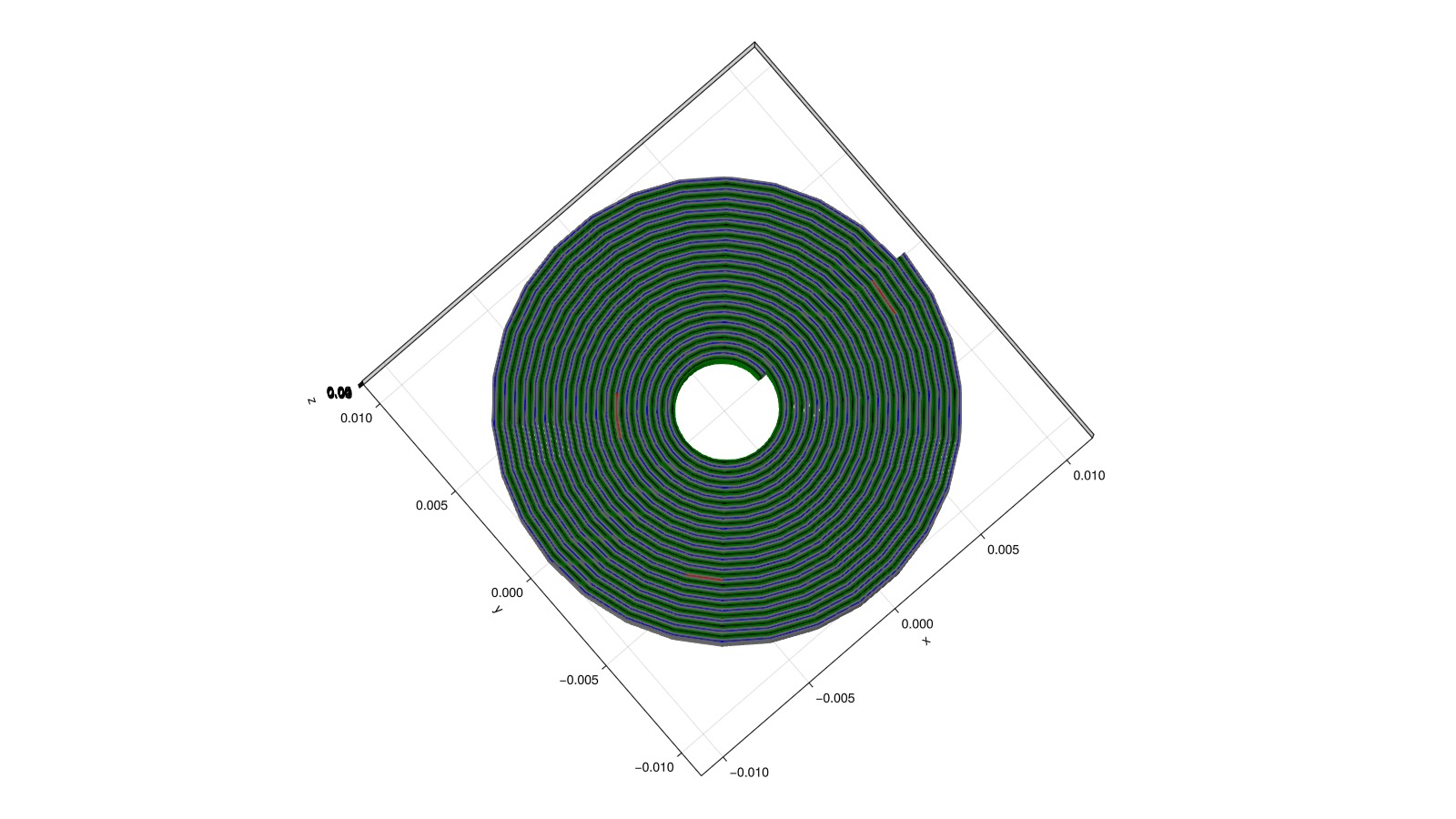
Simulation
We reload the original parameters
cell_parameters = load_cell_parameters(; from_default_set = "chen_2020")
cycling_protocol = load_cycling_protocol(; from_default_set = "cc_discharge")
model_settings = load_model_settings(; from_default_set = "p4d_cylindrical")
simulation_settings = load_simulation_settings(; from_default_set = "p4d_cylindrical"){
"PositiveElectrodeCurrentCollectorTabWidthGridPoints" => 2
"NegativeElectrodeCoatingGridPoints" => 3
"HeightGridPoints" => 2
"NegativeElectrodeCurrentCollectorGridPoints" => 3
"SeparatorGridPoints" => 3
"RampUpTime" => 10
"TimeStepDuration" => 50
"NegativeElectrodeParticleGridPoints" => 5
"PositiveElectrodeParticleGridPoints" => 5
"PositiveElectrodeCurrentCollectorGridPoints" => 3
"AngularGridPoints" => 8
"NegativeElectrodeCurrentCollectorTabWidthGridPoints" => 2
"PositiveElectrodeCoatingGridPoints" => 3
"RampUpSteps" => 5
}We adjust the parameters so that the simulation in this example is not too long (around a couple of minutes)
cell_parameters["Cell"]["OuterRadius"] = 0.004
cell_parameters["NegativeElectrode"]["CurrentCollector"]["TabFractions"] = [0.5]
cell_parameters["PositiveElectrode"]["CurrentCollector"]["TabFractions"] = [0.5]
cell_parameters["NegativeElectrode"]["CurrentCollector"]["TabWidth"] = 0.002
cell_parameters["PositiveElectrode"]["CurrentCollector"]["TabWidth"] = 0.002
simulation_settings["AngularGridPoints"] = 88We setup the simulation and run it
model = LithiumIonBattery(; model_settings)
sim = Simulation(model, cell_parameters, cycling_protocol; simulation_settings);
output = solve(sim; info_level = -1);✔️ Validation of ModelSettings passed: No issues found.
──────────────────────────────────────────────────
✔️ Validation of CellParameters passed: No issues found.
──────────────────────────────────────────────────
✔️ Validation of CyclingProtocol passed: No issues found.
──────────────────────────────────────────────────
✔️ Validation of SimulationSettings passed: No issues found.
──────────────────────────────────────────────────
✔️ Validation of SolverSettings passed: No issues found.
──────────────────────────────────────────────────Visualization of the simulation output
We plot the discharge curve
plot_dashboard(output; plot_type = "simple")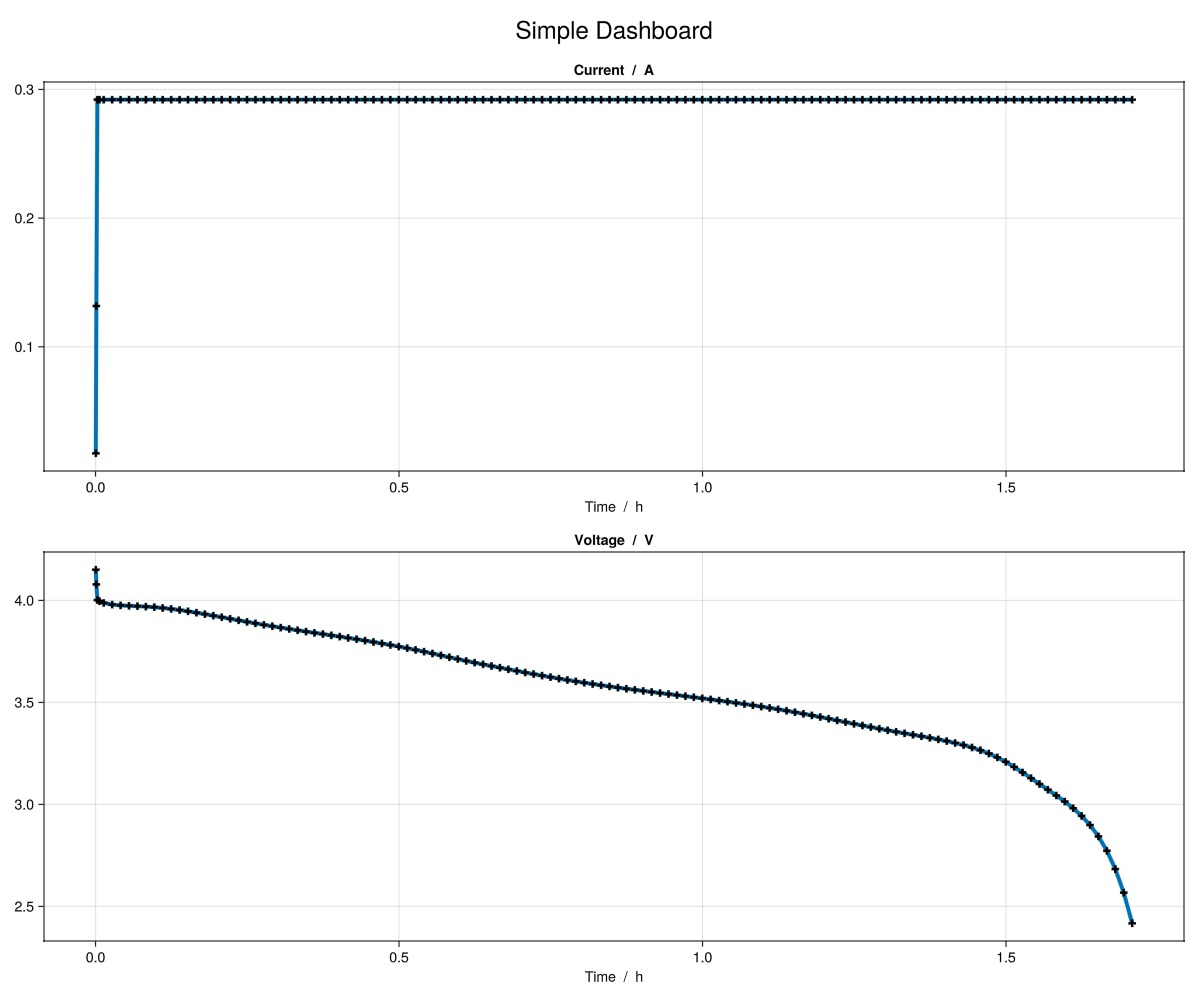
We open the interactive visualization tool with the simulation output.
plot_interactive_3d(output)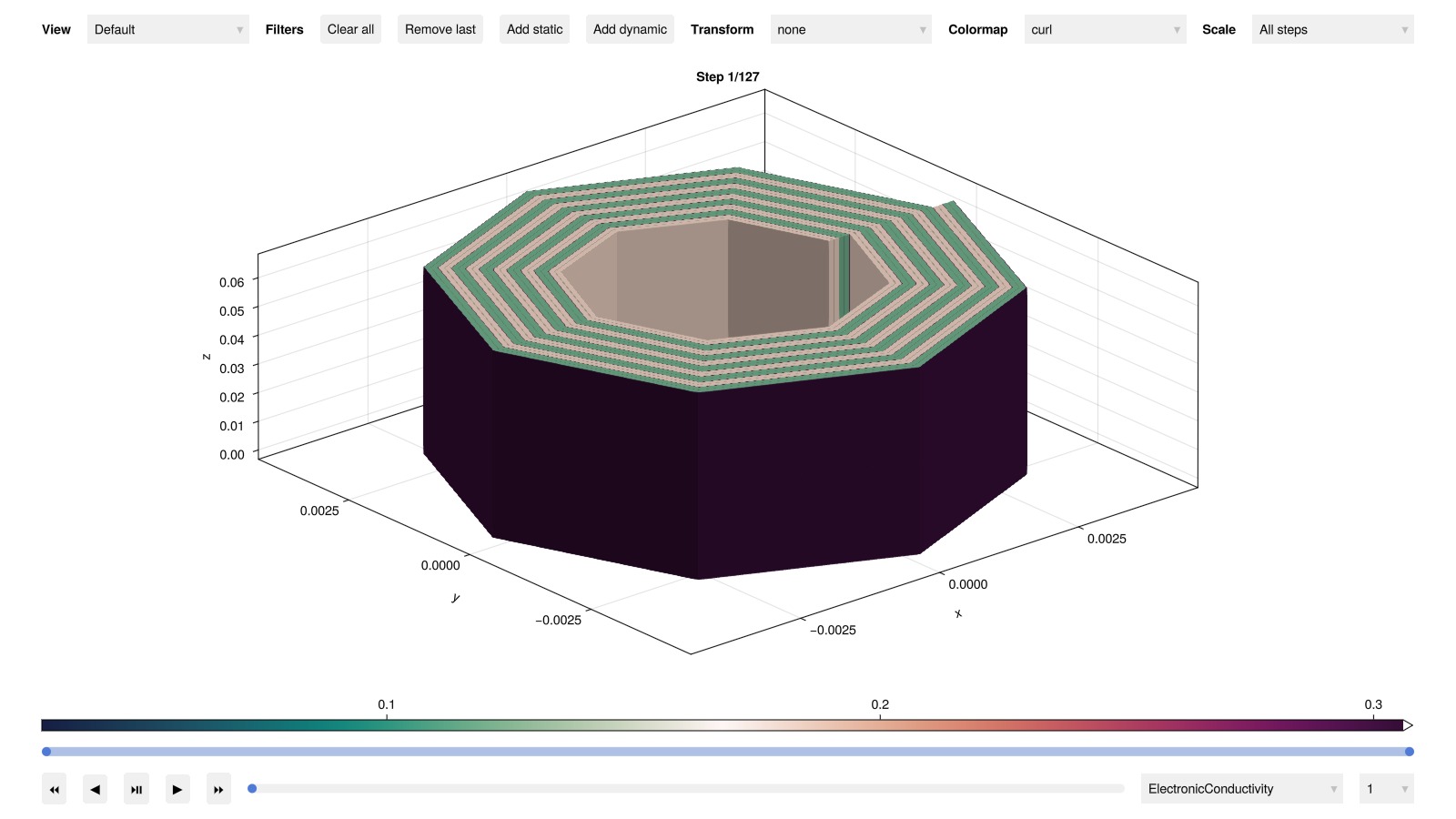
Example on GitHub
If you would like to run this example yourself, it can be downloaded from the BattMo.jl GitHub repository as a script.
This page was generated using Literate.jl.